GB WhatsApp Features - Privacy, Customization & More
GB WhatsApp is popular mainly because it adds more customization and privacy controls to the familiar WhatsApp experience. The exact options can vary between versions, but the features below are commonly found in recent GB WhatsApp builds.
If you are already looking for the latest APK, visit the GB WhatsApp Download page.
Privacy Features
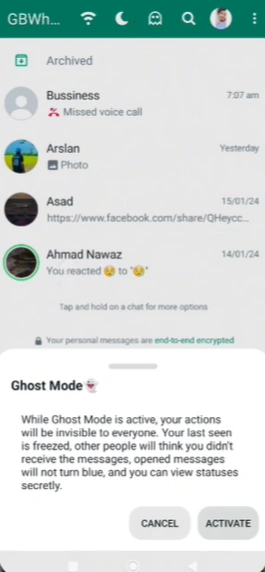
Privacy controls are one of the main reasons users choose GB WhatsApp. Depending on the version, you may have more control over what other people can see when you use WhatsApp.
Common options include hiding your online status, blue ticks, typing indicator, and recording status. Some builds also include Freeze Last Seen, which lets you keep your last-seen time from changing.
These settings can be useful when you want to read or reply to messages without showing every activity signal to your contacts.
Anti-Delete Messages & Status
Some GB WhatsApp versions include options that let you view messages or status updates even after the sender deletes them.
For example, an Anti-Delete Messages option may keep a deleted message visible in your chat. Similar controls may also let you view status updates that have been removed.
Availability can vary between versions, so check your installed build before looking for a specific option.
Themes & Customization
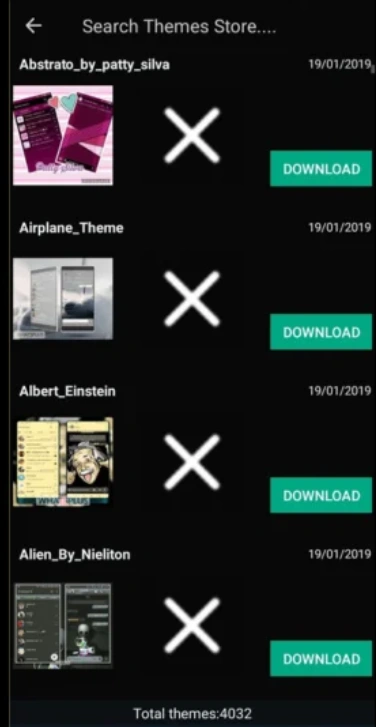
If the standard WhatsApp interface feels too limited, GB WhatsApp offers much more room for customization.
Depending on the build, you can change themes, fonts, chat colors, wallpapers, message bubbles, ticks, and even the app icon. Some versions also provide a collection of downloadable themes that can be applied without changing the rest of the app.
This is one of the biggest visual differences between GB WhatsApp and the official WhatsApp app.
Messaging & Auto Reply
GB WhatsApp may include additional messaging tools that are not available in the standard app.
Popular options include Auto Reply, scheduled messages, and additional controls for individual chats or groups. Auto Reply can be particularly useful when you want to send a predefined response while you are unavailable.
The available tools depend on the version you install.
Large File & Media Sharing
Some GB WhatsApp builds advertise higher limits for sending videos, documents, images, and other files.
You may also find additional controls for image quality, video quality, compression, and media sharing. These options can be useful when you want more control over how your photos and videos are sent.
Actual limits can change between versions, so check the APK information for the build you are using.
DND & App Lock
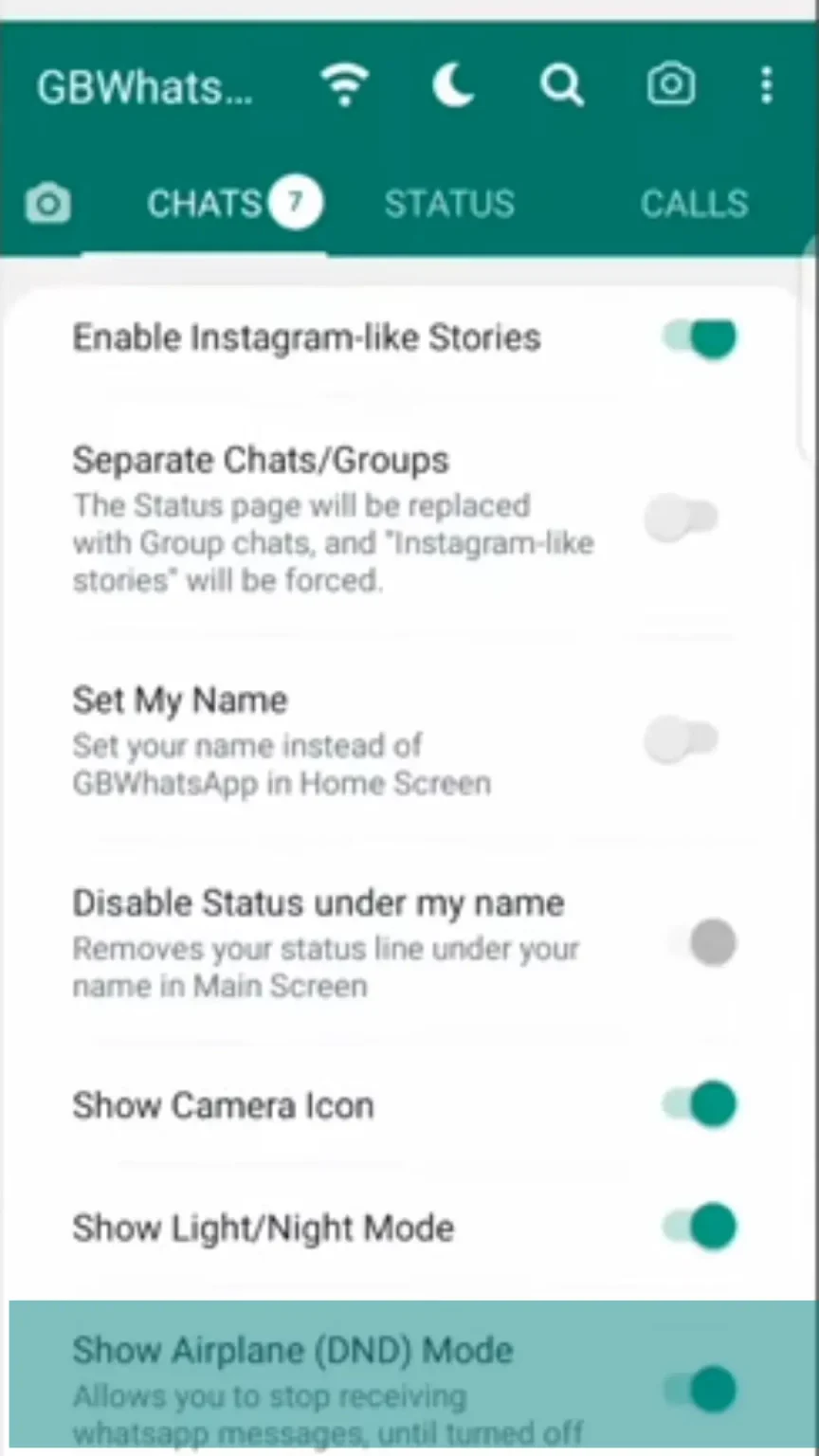
GB WhatsApp can also provide extra controls for reducing interruptions or protecting private conversations.
A DND mode may help you temporarily reduce WhatsApp notifications or activity, while App Lock can add a PIN, password, pattern, or biometric lock to the app, depending on the version.
These features are especially useful if you share your phone with other people or simply want more control over when WhatsApp gets your attention.
Dual WhatsApp Accounts
Want to keep two WhatsApp accounts on one phone? GB WhatsApp can be used alongside another supported WhatsApp installation in some setups.
Whether this works depends on the package version and your Android device. If you use two accounts, make sure each phone number is verified with the correct installation.
Other Useful Features
GB WhatsApp builds can include many smaller options in addition to the major features above. These may include:
- Hide View Status - View statuses without showing that you have seen them.
- Call Privacy - Additional controls for incoming WhatsApp calls.
- Chat Lock - Protect selected conversations with an additional lock.
- Custom Notifications - Use different notification settings for chats or contacts.
- Message Scheduling - Prepare messages to be sent at a chosen time.
- More Emoji & Fonts - Access additional visual customization options.
Not every feature is available in every release, so the settings on your device are the best way to confirm what your current version supports.
GB WhatsApp Features vs Official WhatsApp
The biggest difference is flexibility. Official WhatsApp focuses on a consistent, supported experience, while GB WhatsApp adds more customization and additional controls.
If you are mainly interested in themes, privacy options, or extra messaging tools, GB WhatsApp may offer more choices. If official support, predictable updates, and account stability matter more to you, the standard WhatsApp app is the safer choice.
See our GB WhatsApp vs Official WhatsApp comparison to compare the two apps in more detail.
Before You Download
GB WhatsApp is a third-party modified app, so some features may change, disappear, or work differently after an update. Check the version information before installing and back up important chats if you are switching from another WhatsApp client.
Ready to try it? Go to the GB WhatsApp APK Download page to check the current version.